
Rippling - HR, IT & Finance
People Center Inc.Business
4.4561.00 Reviews
- Version
- 3.0.47
- Installs
- 100.00K
- Age Rating
- Everyone
Screenshots

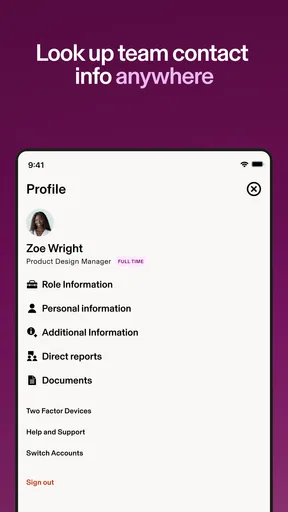
Our Review of Rippling - HR, IT & Finance
 Analysis by Appyee
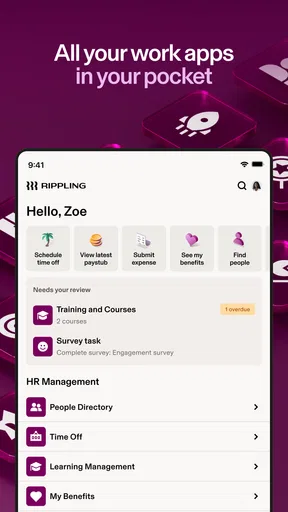
Managing work benefits from having one dependable place to check what normally gets scattered across emails, spreadsheets, payroll conversations, and separate employee portals. Rippling takes that central-dashboard approach for workplace administration, bringing benefits, expenses, and paid time off into a single business app. I found its strongest appeal in the way it can turn routine employee questions into quick self-service tasks instead of small interruptions for a manager or HR colleague.
This is a free Business app from People Center Inc., aimed at everyday workplace administration rather than personal budgeting or job searching. Its store summary points to benefits, expenses, PTO, and more, while the short description identifies it as Rippling. The app is rated for Everyone, and its current version is 3.0.47. It has been available since June 15, 2017, and works on Android 8.0 or later.
With an average rating of 4.4 from around 4.4 thousand ratings, it has clearly attracted a meaningful audience. More than 100 thousand installs also suggest that it is being used beyond a small test group. Those figures do not tell me whether every company configures it equally well, though, and that distinction matters: an employee’s experience depends heavily on what their employer has enabled and how carefully the organization maintains its information.
Why the central employee dashboard matters
I find a central employee dashboard most valuable when it helps me decide what to do next, not just where information lives. In this section, I look at how putting benefits, expenses, and time-off tasks together can cut down on needless searching while still leaving room to check important details. That distinction matters as the review turns to what employees can actually expect to find there.
One capability, many small decisions
The most useful capability here is not simply displaying workplace information. It is giving employees a practical starting point for decisions that otherwise require hunting through several systems. When I want to understand available time off, review an expense, or look at benefit-related information, a unified app makes the first step obvious. That reduction in searching is more valuable than it sounds, especially on a busy workday.
In a traditional setup, an employee might keep one website bookmarked for leave, use a separate reimbursement form, and rely on an HR inbox for benefits questions. Each system may be acceptable on its own, but the mental overhead adds up. Rippling’s value comes from making these administrative areas feel like parts of one workplace account rather than unrelated chores.
The real advantage is less about adding another app and more about removing the need to remember where each task belongs. That is a subtle difference. A dashboard is useful only when it helps me act, not when it merely presents a collection of links. Rippling is at its best when an organization has connected the relevant workplace processes and employees can move from checking information to completing a task without changing context.
Benefits information becomes easier to revisit
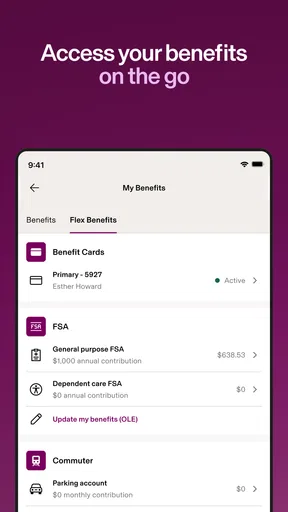
Benefits are often difficult to understand because people usually look at them only during enrollment, a life change, or a moment when they urgently need a detail. A centralized view encourages a different habit: I can return to the information when I need to make a practical decision instead of searching old documents or asking someone to resend an explanation.
That does not replace reading official plan documents or asking HR about an unusual situation. It does make the app a better first stop. For example, if I am checking whether a deduction or benefit selection looks familiar, having the workplace information near the rest of my employee tasks gives me useful context before I escalate the question.
The important trade-off is that convenience can create false confidence. A clean screen may make a complicated benefit seem simple, while the actual terms still depend on the employer’s plan and the relevant documentation. I would use Rippling to locate and review information, but I would not treat a quick glance as a substitute for understanding eligibility, deadlines, or exceptions.
PTO is more useful when it is part of the same routine
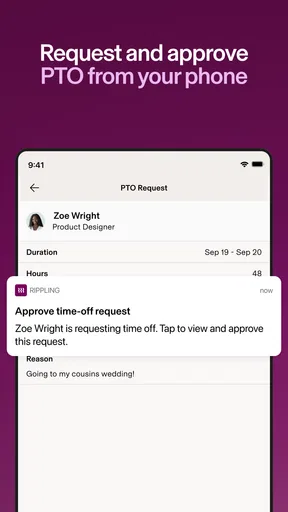
Paid time off is another area where a central app can change behavior. Instead of waiting until I am at a desktop or searching for the correct internal page, I can begin with the same workplace account I use for other employee tasks. That is particularly helpful when planning a day away from work and checking the practical details around the request.
In my experience, the best workflow is to check the available balance first, think about the dates and team coverage, and then submit the request through the organization’s configured process. The app can make that sequence easier to follow, but it cannot solve a scheduling disagreement or guarantee approval. Those decisions still belong to the workplace’s rules and the people responsible for approving leave.
A less obvious benefit is that a shared administrative home can reduce accidental errors. When leave, expenses, and benefits live in separate places, I am more likely to use an outdated bookmark or confuse personal and company information. A consistent starting point does not eliminate mistakes, but it lowers the number of places where they can begin.
Expenses need a repeatable habit
Expense work is rarely difficult because of one complicated action. It is difficult because receipts, dates, categories, and approval expectations are easy to lose between the purchase and the final submission. Rippling is most helpful when I treat it as part of the purchase-to-reimbursement routine rather than an app I open only after a pile of receipts has accumulated.
My practical advice is to record the context while it is still fresh. Even when an organization has a straightforward expense process, waiting several weeks makes it harder to remember why a purchase was made or which project it belonged to. A centralized workplace app gives that task a natural home, but the discipline still has to come from the user.
This is also where the app’s limits become visible. If a company’s expense policy is complicated, the app cannot make an ambiguous purchase automatically acceptable. I would still keep the receipt, check the policy, and review the submission before sending it. The convenience is in organizing the workflow, not in removing responsibility from the employee.
Using it in a normal workday
The everyday value of a workplace app shows up in the small moments between meetings, errands, and deadlines. I’ll use a practical workday example to show how I would move from checking leave information to handling an expense, and where I would pause to confirm a policy or ask a person rather than assume the app makes the decision for me.
A realistic PTO and expense scenario
Imagine I am preparing for a short trip while finishing a client assignment. I first open Rippling to review my available time off and check the relevant workplace details. I then plan the dates around the team’s workload rather than sending a request blindly. Once the request is ready, the same app remains available for the expense side of the trip, where I can keep the reimbursement task connected to the work event.
That sequence is more efficient than switching between a leave portal, a finance form, and an HR mailbox. The benefit is not that every step becomes instant. The benefit is that I have one recognizable place to begin and fewer opportunities to forget which system contains the next action.
There is a useful distinction between visibility and control. Rippling can give me visibility into workplace information and a route for completing configured tasks. It does not mean I control approval rules, payroll decisions, benefit eligibility, or the company’s internal deadlines. Understanding that boundary prevents disappointment and helps me use the app for what it is actually good at.
What I would check before relying on it
Before making Rippling my daily workplace reference, I would confirm that my employer has enabled the sections I need. An employee may see a polished app but still have a limited experience if the organization uses only one part of the broader workplace setup. That is not necessarily a flaw in the app; it is a reminder that this type of tool is configured by the employer.
I would also check how current the displayed information appears, especially before acting on a deadline or balance. If something looks inconsistent with a recent conversation or document, I would ask HR or the relevant administrator rather than assuming the screen is the final authority. This is one of the most important habits for any employee platform: use the app as the operational starting point, then verify unusual cases.
Another practical point is account separation. I would avoid treating the app like a general personal finance tool. Its purpose is tied to the workplace account and the services that the employer has made available. Someone looking for independent budgeting, freelance invoicing, or personal tax organization would probably be better served by a dedicated consumer finance application.
Where it compares well with usual alternatives
The usual alternative is not always another single app. More often, it is a patchwork: a browser-based HR portal, emailed forms, shared documents, and direct messages to an administrator. Rippling compares well with that arrangement because it gives employees a consistent entry point and makes related tasks feel connected.
Compared with a basic PTO-only tool, its broader workplace focus is the main difference. A specialized leave calendar may be simpler if all I need is requesting days away and viewing a balance. Rippling makes more sense when leave is only one part of a wider employee workflow involving benefits and expenses.
Compared with a spreadsheet, the app is more approachable for routine employee actions because I do not need to interpret formulas or remember which row to update. A spreadsheet can still be better for personal analysis, custom planning, or historical comparisons. I would not choose Rippling as a replacement for a private planning workbook when I need calculations that go beyond the organization’s configured process.
Compared with communicating directly with HR, self-service is faster for ordinary lookups. Direct help remains better for exceptions, sensitive questions, and situations where the displayed information conflicts with a policy document. The strongest setup uses both: the app for routine actions and people for judgment calls.
The friction I noticed
The first limitation is dependency on employer configuration. Two employees at different organizations may not encounter the same menus, workflows, or level of detail. That makes it difficult to judge the app only by its interface. If a feature is not available in an employee’s account, installing the app will not create that workplace process.
The second limitation is that centralization can make the app feel more important than it really is. Because benefits, expenses, and PTO sit near one another, I may assume that all information is equally current or equally authoritative. In practice, each area can have its own rules and update cycle. I would pay special attention to deadlines and balances rather than accepting a convenient overview without thought.
There is also a learning curve for employees who are used to informal processes. Someone who normally sends a receipt to a manager may need time to understand the correct in-app workflow, especially if categories or approval steps are unfamiliar. The app can standardize the process, but standardization sometimes feels slower at first because it exposes steps that informal habits used to hide.
Finally, this is not the right choice for someone who wants a standalone tool independent of an employer. Its usefulness comes from its connection to workplace administration. If I were self-employed and only wanted to track personal expenses or schedule time away, I would choose a purpose-built personal app instead.
Who gets the most value
Rippling is most useful for employees who regularly move between several workplace tasks and want one dependable starting point. It suits people who submit expenses, review benefits, and request time off often enough that separate portals become annoying. It is also a good fit for teams that want employees to handle ordinary administrative actions without turning every question into a message for HR.
Managers can benefit indirectly because clearer self-service may reduce repetitive requests. However, I would not install it expecting it to solve team planning or communication by itself. A manager still needs a calendar, clear expectations, and a way to discuss coverage. Rippling supports the administrative side of leave; it does not replace the human side of coordinating a team.
New employees may find a centralized workplace app especially helpful because onboarding already involves a large amount of unfamiliar information. Having benefits, expenses, and PTO in a recognizable environment can make the first few weeks less fragmented. My tip is to explore it early, note which sections matter to the role, and save questions for HR in one place rather than asking about every screen separately.
Small organizations should think about consistency before convenience. If the company has scattered policies or frequently changes its process, an app alone will not create clarity. Rippling can give those policies a home, but the employer still needs to communicate what employees should do and keep the underlying information accurate.
My final take after using the workflow
I see Rippling as a practical employee hub rather than a magical solution to every workplace problem. Its central strength is the connection between benefits, expenses, and PTO: these tasks remain distinct, but they are easier to approach when they share one administrative home. That design can save time, reduce searching, and make routine employee responsibilities feel more manageable.
I would recommend it to anyone whose employer actively uses it and whose work includes recurring HR or expense tasks. I would be more cautious for someone who needs only a simple leave calendar, wants independent personal finance tools, or expects the app to answer complex policy questions without human support.
Because it is free to download and rated for Everyone, there is little reason for an eligible employee not to try the configured workplace experience. The real question is not whether the app contains every possible business function. It is whether it gives me a clearer path through the specific tasks my employer has placed there. When that setup is maintained well, Rippling earns its place as a useful daily shortcut; when the underlying workplace process is unclear, the app can only organize the confusion.
For me, that makes the app worthwhile for a focused reason: it turns scattered employee administration into a repeatable routine. I would open it first for a PTO check, a benefit detail, or an expense workflow, then use HR or the official policy documents whenever the situation falls outside the ordinary path. That balance keeps the convenience without pretending that a dashboard can replace careful judgment.
Verdict
Strengths of Rippling - HR, IT & Finance
- Combines HR, payroll, benefits, IT, and finance in one platform.
- Automates onboarding and offboarding workflows for employees.
- Supports global hiring, payroll, and workforce management.
- Offers detailed reports and customizable administrative workflows.
- Integrates with many popular business and productivity tools.
Limitations of Rippling - HR, IT & Finance
- Pricing is not publicly transparent and may vary by company size.
- The broad feature set can feel overwhelming for smaller businesses.
- Some advanced tools require additional modules or paid add-ons.
- Payroll and benefits availability differs by country and region.
- Employees may have limited control over certain company-managed settings.
Similar Picks in This Category
View All
LinkedIn: Community & Network
LinkedIn3.8

Zoom Workplace
zoom.com4.1

Microsoft Teams
Microsoft Corporation4.6

Meta Business Suite
Meta Platforms, Inc.4.6

Webex Meetings
Cisco Systems, Inc.4.5

TeamViewer Remote Control
TeamViewer4.4
Frequently Asked Questions
What is Rippling - HR, IT & Finance used for?
Rippling is a business management platform that brings human resources, payroll, benefits, finance, and IT administration into one system. Companies can use it to manage employee information, onboarding, time off, payroll workflows, app access, devices, and spending-related tasks. The exact features available depend on the employer’s subscription, configuration, location, and the permissions assigned to each employee.
Can employees use the Rippling mobile app for payroll and HR tasks?
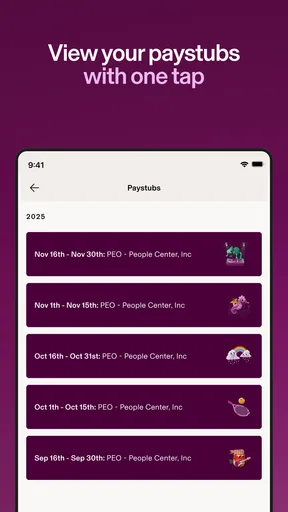
Yes, employees can typically use the mobile app to view pay information, access tax documents, request time off, review benefits, complete onboarding tasks, and update certain personal details. However, the available options may vary considerably between organizations. Some companies enable only basic employee self-service, while others activate additional tools for expenses, time tracking, approvals, or workplace applications.
Is Rippling free to download and use?
Downloading the Rippling app may be free from the App Store or Google Play, but access is generally provided through an employer or organization that subscribes to Rippling’s services. It is not usually a standalone HR app that individuals purchase for personal use. Your company determines whether you can sign in, which modules are available, and whether any actions require administrator approval.
How secure is Rippling for personal, payroll, and company information?
Rippling handles sensitive information such as employee profiles, compensation details, tax documents, benefits data, and business account access, so security is an important consideration. The platform commonly uses account authentication, permission controls, and other protective measures, but users should still enable available security options, use a unique password, and avoid signing in on shared devices. Security settings and login requirements may differ by employer.
What should I do if I cannot log in to Rippling?
If you cannot access Rippling, first confirm that you are using the email address associated with your employer and check for typing errors in your password. Use the password-reset option if it is available, and verify that your device has a reliable internet connection. If your invitation has expired, your account is locked, or your company uses single sign-on, contact your employer’s HR or IT administrator for assistance.
